
From screen to client introduction
Candidate submittal drafts in your team's format.
Recruit Recap turns selected Google Meet, Microsoft Teams and Zoom candidate screens into structured submittal drafts for recruiting agencies. Use your client's required sections, check the evidence and review the write-up before sharing.
Meetings use a visible, opt-in recording bot. Direct telephone and VoIP capture are not advertised as supported. ATS integrations are scoped on demand.
- Relevant evidence
- Candidate described coordinating a four-person delivery team and improving its reporting workflow.
- Practical details
- Availability requires confirmation. Record explicit dates and currency when discussed.
- Questions to confirm
- A measured time saving was not established. Ask about the candidate's own contribution and how the change was assessed.
Fictional example, not product UI or a customer result. Review every draft before sharing.
What belongs in a candidate submittal?
A candidate submittal is a recruiter's introduction of a candidate to a client for a specific role. Connect the client's requirements to what the candidate actually described. Include relevant experience, compensation expectations with currency and period, candidate-stated availability and questions that still need an answer.
A transcript preserves the conversation; the write-up helps the client assess the relevant evidence. The recruiter checks that the shorter version preserves the meaning and does not turn an unconfirmed detail into a fact.
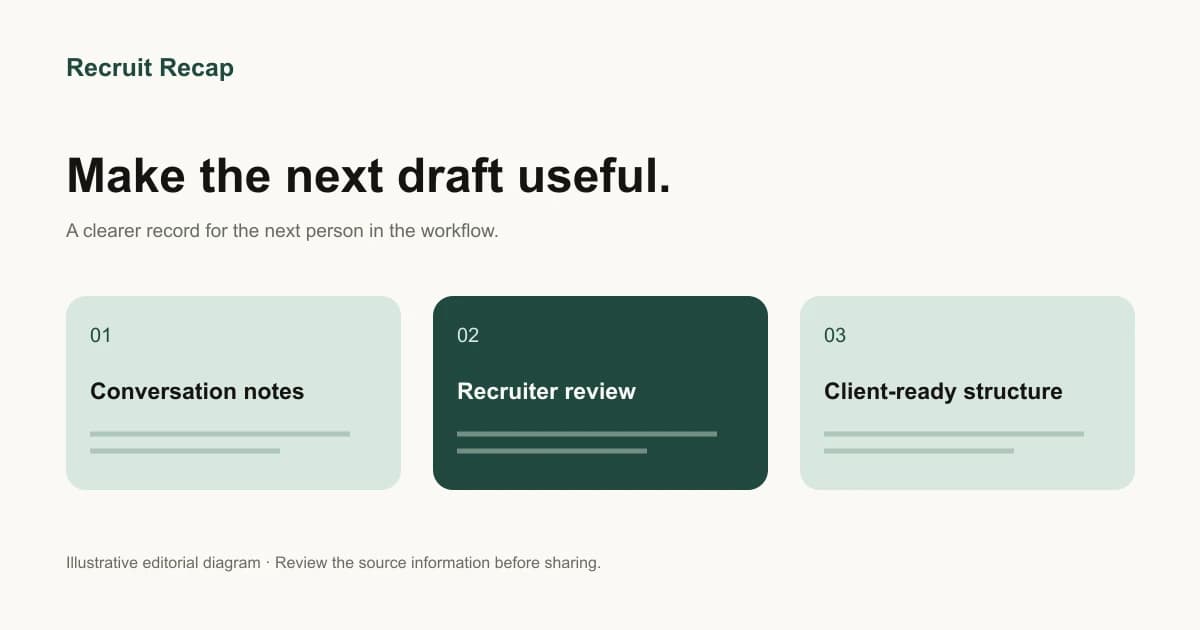
From conversation to reviewed write-up.
01
Capture the right conversation
Select a Google Meet, Microsoft Teams or Zoom meeting for the visible, opt-in recording bot. Confirm the setup and your team's recording process before the screen.
02
Draft around your sections
Bring the candidate write-up structure you already use, including the custom items needed by your desk or client.
03
Review the details
Check examples, dates, amounts and missing information before the write-up becomes a client-facing document.
04
Agree the handoff
Confirm how the reviewed output reaches the next person or system. ATS requirements are scoped on demand for your workflow.
Fictional worked example
From a screening note to a reviewed client write-up.
The client needs an operations lead who can own a reporting process. The candidate describes part of that work. Keep the requirement, the candidate's account and the remaining questions distinct.
This is an editorial example of a review process, not a product screenshot, captured conversation or customer result.
1. Source note
“I prepared the weekly operations report for a four-person team. My manager chose the metrics and presented it. I'm looking for $110,000 annual base in USD. I need to check my earliest start date.”
2. Recruiter review
- Report preparation is supported. Ownership of the reporting process is not established.
- The figure is a candidate-stated annual base expectation in USD, not an agreed offer or total compensation.
- Availability is unconfirmed. Ask for an explicit start date.
3. Reviewed write-up
The candidate reports preparing weekly operations reports for a four-person team, with the manager selecting metrics and presenting findings. Experience owning the reporting process remains to be confirmed.
Candidate-stated expectation: USD 110,000 annual base. Earliest start date: unconfirmed. Before submission, the recruiter will clarify decision-making responsibilities and availability.
Use these checks when reviewing a draft in Recruit Recap or preparing a write-up manually. The follow-up answers determine whether the candidate meets the client's requirement; polished wording alone cannot establish that fit.
Use the full candidate submittal template →Make the review concrete.
The draft is a starting point. Use the same checks for each client introduction so a polished sentence never stands in for missing evidence.
| Review area | Question to answer |
|---|---|
| Evidence | Does the draft preserve what was discussed? |
| Practical details | Are currency, period and dates explicit? |
| Unknowns | Are unresolved questions still visible? |
| Client format | Are the agreed sections present? |
| Handoff | Is the next action and owner clear? |
Keep the brief connected to the candidate story.
Agree the required evidence before screening, preserve what the conversation established and check the handoff. Use these practical resources at the stage your team needs next.
Questions before your demo.
Can it capture a candidate phone screen?
Recruit Recap's documented capture workflow uses a visible, opt-in bot in selected Google Meet, Microsoft Teams and Zoom meetings. Direct telephone, VoIP and botless recording are not advertised as supported. If your screens happen by phone, verify the capture method before choosing a tool.
Can the write-up use our sections?
Recruit Recap supports customizable write-ups and note templates. Bring your actual format so the demo can confirm the configuration needed.
Is the draft ready to send automatically?
Treat generated content as a draft. Review it for accuracy, relevance and missing information before sharing it through your agreed process.
Will it update our ATS?
ATS integrations are scoped on demand. Confirm your specific system, record, fields, permissions and review steps before relying on a handoff.
Can our offices share one format?
A common structure can be used across teams, with explicit currencies, dates and local workflow requirements. Confirm the configuration your offices need in the demo.
Bring one call type and one client format.
See how Recruit Recap handles the document your team needs next. Bring a fictional or appropriately prepared example, your required sections and the questions you want the demo to answer.
Book a demo →Still choosing a workflow? Compare candidate submittal tools by capture method, output and review requirements.